
Educational and Non-Advisory Disclaimer
Disclaimer: The following educational guide is published by Bitcoin Lifestyles Club for informational and instructional purposes only. It does not constitute financial, investment, legal, or tax advice, nor is it an endorsement or recommendation of any specific software, wallet application, or digital asset. Cryptocurrency self-custody involves substantial inherent risks, including the permanent loss of funds through user error, hardware failure, malicious software, or compromised recovery material. Readers are solely responsible for conducting their own research, evaluating personal risk tolerance, and verifying software authenticity before interacting with blockchain protocols.
Key Takeaways
- Decentralized Self-Custody Architecture: Nexus Wallet is an official decentralized Litecoin wallet developed by the Litecoin Foundation with design contributions from Squareblack, granting users complete control over private keys and recovery seeds [1].
- Core Feature Integration: The application supports low-fee peer-to-peer sends, native SegWit compatibility, optional MimbleWimble Extension Blocks (MWEB) privacy payments, Flexa checkout integration, and
.ltcUnstoppable Domains [1]. - Litewallet Migration Context: Official platform announcements outline that legacy Litewallet installations were slated to sunset on December 31, 2025, enabling users to restore existing recovery phrases directly inside Nexus Wallet [1].
- Rigorous Security Boundaries: Self-custody requires disciplined offline storage of recovery phrases, vigilant verification of official app store listings, and careful assessment of regional feature availability [1].

Official app icon from the Nexus Wallet for Litecoin Google Play listing. View listing →
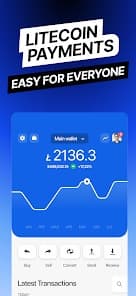
Official Nexus Wallet for Litecoin mobile app preview, shown for product recognition and educational review. Source: Google Play listing. © Litecoin Foundation Limited. View source →
Table of Contents
- Introduction: The Evolution of Mobile Litecoin Self-Custody
- What is Nexus Wallet? Origins and Architectural Design
- Core Feature Breakdown: SegWit, MWEB, Flexa, and Unstoppable Domains
- Transitioning from Litewallet: Seed Phrase Recovery and Continuity
- Comparative Overview: Nexus Wallet Capabilities and Operational Scope
- Practical Tutorial: Setting Up and Securing Nexus Wallet on Mobile
- Risk Boundaries, Jurisdictional Limits, and Self-Custody Realities
- Frequently Asked Questions (FAQ)
- Conclusion and Educational Resources
- References
Introduction: The Evolution of Mobile Litecoin Self-Custody
The secure storage and transfer of digital assets on mobile devices represent a foundational pillar of cryptocurrency literacy. As mobile computing environments evolve, tools utilized by participants must adapt to higher standards of usability, protocol support, and cryptographic security. Self-custody wallets place absolute asset management responsibility squarely in the hands of the user, eliminating reliance on centralized intermediaries or custodial exchanges.
This guide provides a structured examination of Nexus Wallet, an official mobile self-custody application developed for the Litecoin network [1]. Designed to accommodate day-to-day transaction efficiency and advanced protocol features, Nexus Wallet serves as a contemporary focal point for mobile Litecoin users navigating iOS and Android operating systems [1]. By understanding architectural foundations, feature sets, migration pathways, and inherent operational risks, participants can engage with blockchain technology in a disciplined manner.
What is Nexus Wallet? Origins and Architectural Design
Nexus Wallet is a decentralized self-custody cryptocurrency application engineered specifically for the Litecoin ecosystem [1]. Developed under the auspices of the Litecoin Foundation with user interface and experience design credited to Squareblack, the application is distributed across major mobile platforms through official marketplaces [1].
In a decentralized self-custody model, the software application acts purely as an interface to the blockchain network. Private keys and cryptographic recovery phrases are generated locally on the user's mobile device, ensuring that no central server or corporate entity maintains custody over user funds. This architectural design aligns with peer-to-peer principles, where individuals retain sovereign control over cryptographic assets. However, this sovereignty introduces absolute accountability: if device access is lost and recovery materials are mismanaged, funds cannot be restored by any support desk or administrator.
"Nexus Wallet is a decentralized Litecoin wallet developed by the Litecoin Foundation, with Squareblack credited for design, offering users direct peer-to-peer control over their cryptographic keys and transactions." — [Litecoin Foundation Announcement] [1]
Core Feature Breakdown: SegWit, MWEB, Flexa, and Unstoppable Domains
Nexus Wallet integrates several protocol-level and application-level capabilities designed to expand Litecoin's utility in mobile environments [1]:
- SegWit Support: Native support for Segregated Witness (SegWit) addresses optimizes block space utilization, resulting in reduced transaction fees and faster confirmation processing times [1].
- Optional MWEB Privacy Payments: MimbleWimble Extension Blocks (MWEB) introduce optional privacy-preserving transaction capabilities, shielding transaction amounts and participant addresses from public ledger visibility when both parties operate within compatible MWEB structures [1].
- Flexa Checkout Integration: Integration with Flexa payment infrastructure enables merchants and retail networks to accept digital asset settlements through supported rails [1].
- Unstoppable Domains (.ltc): Support for human-readable domain names ending in
.ltcallows users to replace complex cryptographic alphanumeric addresses with easily readable identifiers, minimizing transcription errors [1]. - Low-Fee Peer-to-Peer Sends: Built-in routing optimizes network fee estimation, permitting users to execute low-cost transfers directly on the blockchain without intermediary markups [1].
Transitioning from Litewallet: Seed Phrase Recovery and Continuity
Cryptocurrency software ecosystems undergo continuous refinement, requiring periodic migration from legacy applications to updated architectures. Official platform announcements regarding Nexus Wallet highlighted a significant transition milestone: legacy installations of Litewallet were slated for official sunset on December 31, 2025 [1].
For holders of legacy Litecoin wallets utilizing standard recovery seed phrases, Nexus Wallet provides a direct continuity pathway [1]. Users who previously secured recovery phrases from compatible wallets—such as Litewallet—can restore their accounts inside Nexus Wallet without losing access to underlying on-chain balances [1]. This restoration process requires entering the exact sequence of mnemonic words into the newly installed application on a secure, offline-verified device.
It is vital to recognize that wallet migration does not alter underlying blockchain state. Funds reside on the decentralized Litecoin ledger, not within the application itself. The wallet software merely interprets cryptographic keys derived from the seed phrase. Consequently, users must exercise caution during migration, ensuring they download authentic software and never input recovery phrases into unverified websites or phishing portals.
Comparative Overview: Nexus Wallet Capabilities and Operational Scope
To contextualize operational parameters of Nexus Wallet, the following comparative table outlines core technical specifications, custody model, and supported features as documented in official releases [1].
| Operational Parameter | Nexus Wallet Specification | Architectural & Security Implication |
|---|---|---|
| Custody Model | Full Self-Custody (Decentralized) | User generates and controls local private keys; no third-party recovery or password reset mechanism exists [1]. |
| Mobile Availability | Official iOS App Store & Google Play | Distributed via standard mobile marketplaces; users must verify publisher authenticity [1]. |
| Primary Asset Network | Litecoin (LTC) Blockchain | Dedicated focus on Litecoin network protocols, SegWit optimization, and peer-to-peer transfers [1]. |
| Privacy Features | Optional MWEB (MimbleWimble) | Allows shielded transactions; usage depends on network and jurisdictional compatibility [1]. |
| Retail & Naming Utility | Flexa Checkout & .ltc Unstoppable Domains |
Facilitates retail payments and human-readable address resolution [1]. |
| Migration Protocol | Compatible with Standard Recovery Seeds | Permits seamless restoration of legacy seed phrases from sunset applications like Litewallet [1]. |
Practical Tutorial: Setting Up and Securing Nexus Wallet on Mobile
Installing and configuring a self-custody mobile wallet requires a methodical, step-by-step approach to ensure optimal security and operational readiness. Below is a structured practitioner checklist and tutorial for setting up Nexus Wallet on supported iOS and Android devices.
Phase 1: Verification and Installation
- Source Authentication: Navigate directly to the official Apple App Store (iOS) or Google Play Store (Android) by following verified links provided in official Litecoin Foundation communications [1]. Verify publisher details to avoid fraudulent clone applications.
- Application Download: Download and install Nexus Wallet on a secure, up-to-date mobile device free from unauthorized modifications or jailbreaks.
- Network Isolation Check: Ensure your device is connected to a secure, private internet connection during initial wallet generation.
Phase 2: Wallet Initialization and Seed Backup
- Initiate New Wallet: Open Nexus Wallet and select the option to create a new wallet.
- Record Recovery Phrase: The application will generate a sequential list of mnemonic words. Write these words down physically on durable paper or metal backup media. Never take digital screenshots, store seed phrases in cloud notes, or photograph the screen.
- Verify Backup: Complete confirmation prompts by selecting recorded words in the exact sequence specified.
- Set Local Access Controls: Enable biometric authentication and configure a strong PIN code to secure daily application access.
Phase 3: Executing Transactions and Utilizing Features
- Receiving Funds: Access the receive interface to view your public Litecoin address or
.ltcdomain name. Always perform a small test transaction before transferring substantial amounts. - Sending Funds: Input a valid Litecoin address or
.ltcdomain, specify the amount, review calculated network fees, and confirm the transaction. - Exploring MWEB and Retail Options: Evaluate optional MWEB privacy transactions or Flexa retail checkout features in accordance with local compliance guidelines [1].
Risk Boundaries, Jurisdictional Limits, and Self-Custody Realities
Engaging with decentralized mobile self-custody wallets entails specific operational realities and risk boundaries that every participant must acknowledge:
- Absolute User Responsibility: In self-custody, there is no customer support desk, password reset button, or central authority capable of reversing transactions or recovering lost seed phrases [1].
- Jurisdictional and Feature Limitations: Advanced features such as Flexa retail checkouts, MWEB integration, or third-party merchant services may not be available in all geographic regions or legal jurisdictions [1].
- Phishing and Software Spoofing: Malicious actors frequently deploy fraudulent applications on mobile app stores or publish phishing links mimicking official foundations [1].
- Network and Market Volatility: Blockchain network congestion and broader digital asset market volatility directly impact transaction execution times and economic value.
Frequently Asked Questions (FAQ)
1. Is Nexus Wallet custodial or non-custodial?
Nexus Wallet is a fully decentralized, non-custodial self-custody wallet [1]. Private keys and recovery seed phrases are generated and stored exclusively on the user's mobile device.
2. Can I recover my legacy Litewallet balance inside Nexus Wallet?
Yes. Official announcements regarding the sunset of Litewallet on December 31, 2025, confirm that users can restore existing wallet balances in Nexus Wallet by entering their standard recovery seed phrase [1].
3. What are MWEB privacy payments in Nexus Wallet?
MWEB (MimbleWimble Extension Blocks) is an optional protocol feature supported by Litecoin that allows confidential transactions, shielding transaction amounts and participant addresses from public ledger visibility [1].
4. What precautions should I take to protect my recovery seed phrase?
Your recovery seed phrase must be written down physically on paper or durable backup media and stored in a secure, private location. Never store seed phrases digitally or share them online [1].
Conclusion and Educational Resources
Nexus Wallet represents a significant step forward in mobile self-custody tooling for the Litecoin community, combining SegWit efficiency with MWEB privacy, Flexa retail checkouts, and .ltc domain resolution [1]. By adhering to rigorous security practices and understanding self-custody realities, participants can navigate mobile digital asset management safely.
To expand your foundational knowledge of decentralized asset management, technical market analysis, and risk mitigation strategies, explore our structured curriculum: Explore the Full Crypto Market Education Library.
For advanced modules and research tools, visit our membership portal: See Premium Access.
References
- Litecoin Foundation. "Nexus Wallet for Litecoin Released on Android and iOS." Official Announcement. Available at: https://litecoin.com/news/nexus-wallet-for-litecoin-released-on-android-and-ios.